GOOD PLANS START HERE
Today,
where shall we go?
A favorite café. Somewhere new.
A plan with someone you want to see.
Save places, share moments and make plans together — all in one app.
ONE APP, FOR WHEN YOU WANT TO GO
Great places nearby.
Your friends, too.
More than a map.
Đi Đâu turns your ideas
into plans together.
See the photos.
Feel like going.
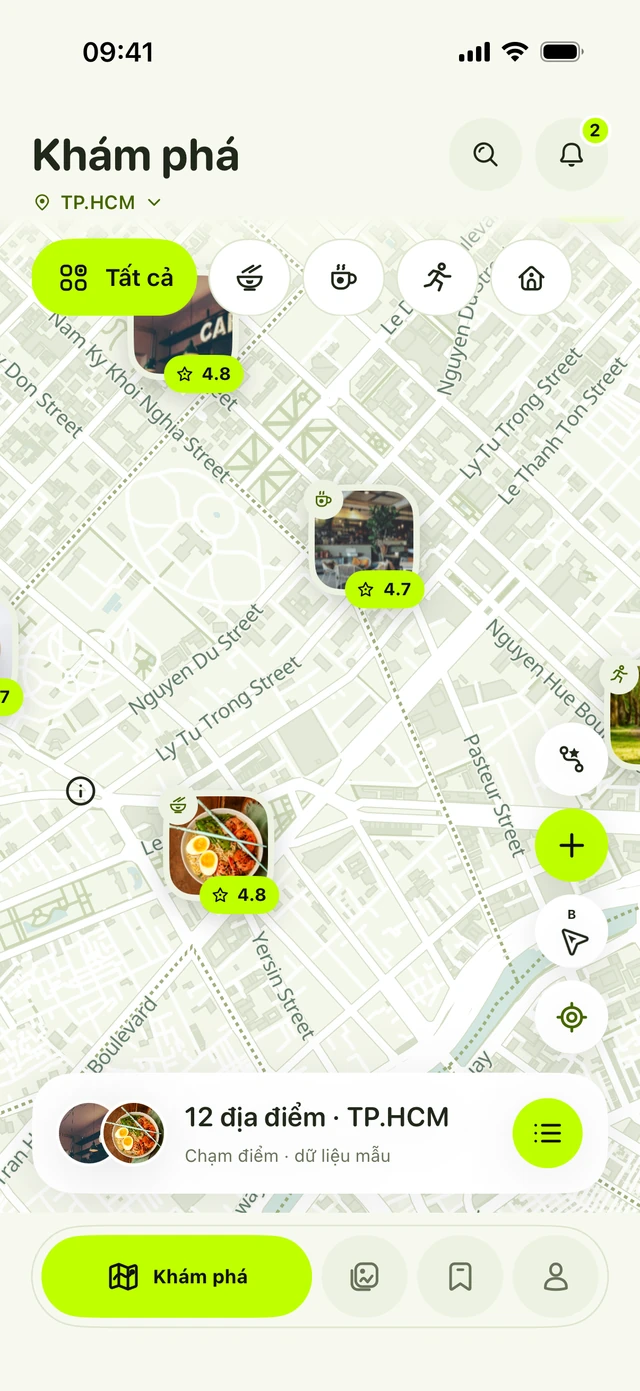
Food, coffee or a new spot to explore. See photos right on the map, find a place for your mood and save it to your personal map.
- Photo pins, filters and place details
- Add places from a Google Maps link
- Get directions within the app
Right here, right now.
Wish you were here.
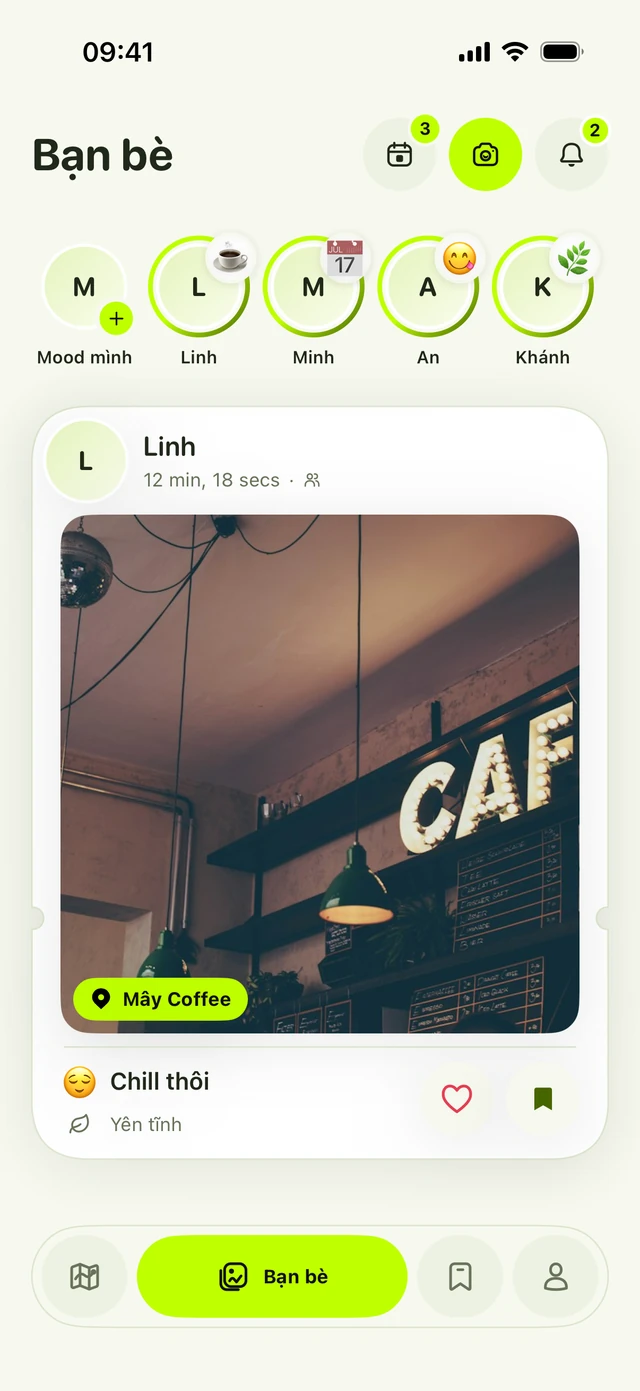
One photo, one feeling. Share check-ins with friends, see today’s mood and send a heart to moments you love.
- Swipe through photo cards
- Choose who sees your check-ins
- Connect by QR code, with confirmation
Save a place.
For the next plan.
Stop searching old chats for that great café. Keep your favorite places together and organize them your way.
- Search quickly by place name
- Drag to rearrange your list
- View details and make a plan together
to a whole adventure.
LET YOUR PLANS LEAVE THE GROUP CHAT
Pick a day.
Invite friends.
Then, let’s go.
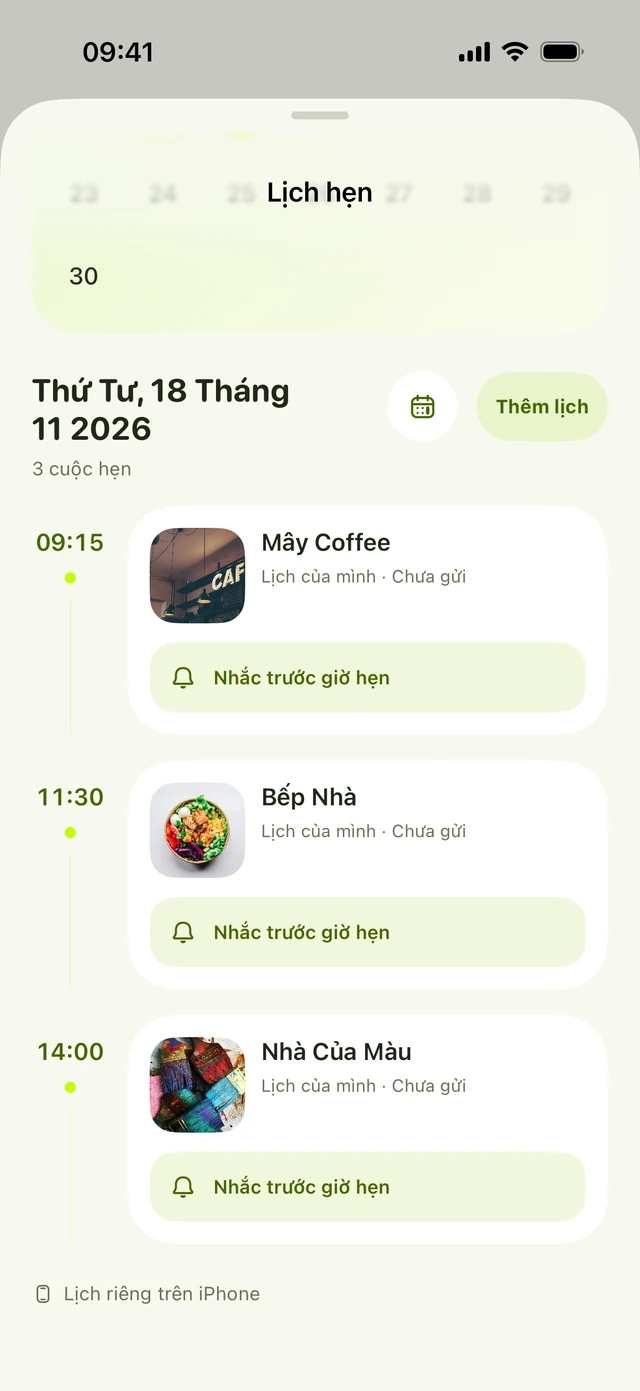
A coffee date or a trip with several stops. Keep it all in your calendar so everyone knows when and where to meet.
- 01
Plan your day by time
Choose a day, a time and places to visit.
- 02
Invite someone along
Friends accept to add the plan to their calendar.
- 03
Keep your plans in sight
iPhone reminders and Live Activities for eligible plans.
SMALL DETAILS, FOR EVERY DAY OUT
Fewer taps.
More to discover.
Big photos. Simple choices.
Tap a screen to take a closer look.
Screenshots from a development build. Names, photos, places and plans shown are demo data.
BEFORE WE HEAD OUT
Quick questions.
Simple answers.
Is Đi Đâu on the App Store yet?
Đi Đâu is still in development and has not been released on the App Store. It is designed for iPhone with iOS 17 or later. Contact Đi Đâu to ask about trying the app.
Can I add places from Google Maps?
Yes. Share a Google Maps link to Đi Đâu, or paste it into Add place. Review the name, address, location and photos before saving; the information available varies by link.
Who can see my map and check-ins?
Each account has a personal map. Choose Only me or Friends for your check-ins. When a plan invitation is accepted, its places are added to the recipient’s map.
Can I plan several stops in a day?
Yes. Your plans for the day are sorted by time. Plan ahead, invite friends and revisit your journey from your plan history.
 Đi Đâu In development for iPhone